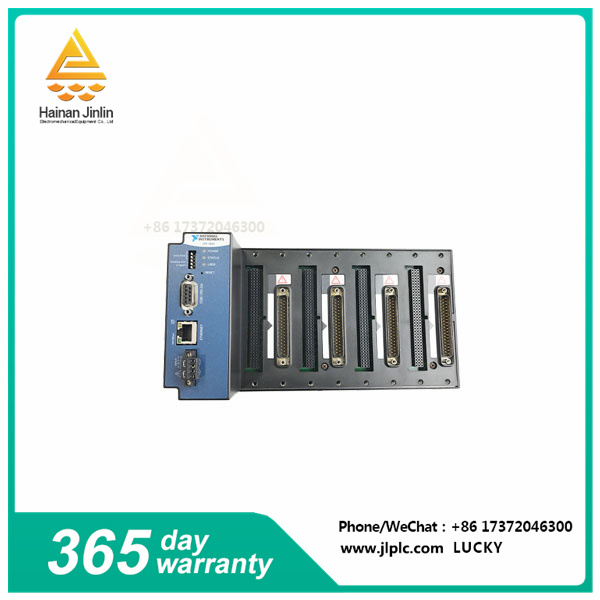
The NI cFP-1804 Ethernet/Serial backplane (Part number: 779490-01) can be mounted on the panel or in a regular 19-inch rack. Before using these installers, the user should write down the serial number on the back of the model. It is important to remember that if a user uses a UL-approved I/O module with a Compact FieldPoint system, they must install the entire system in an appropriately rated, UL-certified NEMA or IP housing. To ensure maximum cooling efficiency, users should install a compact FieldPoint system with I/O module vents at the top and bottom. The device has communication rates of 10 Mbps, 100 Mbps, and auto-negotiated rates.
The 4-slot cFP-1804 backplane is capable of connecting compact FieldPoint I/O modules to high-speed Ethernet or RS-232 serial ports (which can be linked using a 9-pin D-SUB male-to-female in-line cable). To use a device on an Ethernet or serial network, it must first be configured using the Measurement and Automation Browser (MAX) tool. To link an I/O module to an input signal or external load, the user must install a cFP-CB-x connector module or other connection accessory for each I/O model on the backplane. Users can use the connector socket on the right side of each I/O model slot. Users should be careful not to install or remove connector blocks or other connection accessories while powered on. The device has 10BaseT and 100BaseTX Ethernet network interfaces and is compatible with IEEE802.3.
The cFP-1804 runs with FieldPoint software, which is compatible with software packages/application development environments (ades) such as LabVIEW, LabVIEW Real-time Module, LabWindows/CVI, Measurement Studio or VI Logger. The ADE you select should be installed before FieldPoint software.
| HONEYWELL 51404170-175 | 51404172-175 | P/N:51198947-100K |
| HONEYWELL 51403776-100 | LCNP4M Controller Card | m06W35-D5714 |
| HONEYWELL 05701-A-0330 HIGH INTEGRITY RELAY CARD |
| HONEYWELL 05704-A-0121 | Quad Relay Interface Card |
| HONEYWELL 05701-A-0550 | Cipherer | Secret key | SoftDog |
| Honeywell FC-FANWR-24R Fan 24V DC |
| HONEYWELL | TK-FPDXX2 | POWER SUPPLY DC MODULE |
| HONEYWELL TK-FTEB01 | 51309512-175 | FTE BRIDGE MODULE |
| HONEYWELL TK-IOLI01 | 51403427-275 | I/O LINK INTERFACE MODULE |